01 / Text & code
Reading line by line to find an edit?
Compare versions side by side, with additions and removals highlighted. Move between changes as you review.
Still switching between two versions to find the edits? Diff Pro Max helps you compare files and see what changed. Text, code or images: focus on the differences and move on to your next task.
Red marks removals; green marks additions. Review changes with their surrounding context.
When a revision arrives, during a review or before delivery: what matters is knowing what changed since the last version.
Compare versions side by side, with additions and removals highlighted. Move between changes as you review.
Overlay two images and adjust their transparency to compare changes in positioning and spacing.
Review folder differences in a list. Use Create Delivery Data to export only the files that changed, keeping the folder structure, with a record of what was exported.
Try comparing a before-and-after pair before exploring the advanced settings.
Install the app and open Text Comparison from the home screen.
Paste text on each side, or select the files you want to compare.
See additions and removals in color, with the surrounding text for context.
Text comparison has no usage limit. No purchase required to get started.
Compare text, folders, images, audio, video, documents and Excel files. Choose the mode that fits your work.
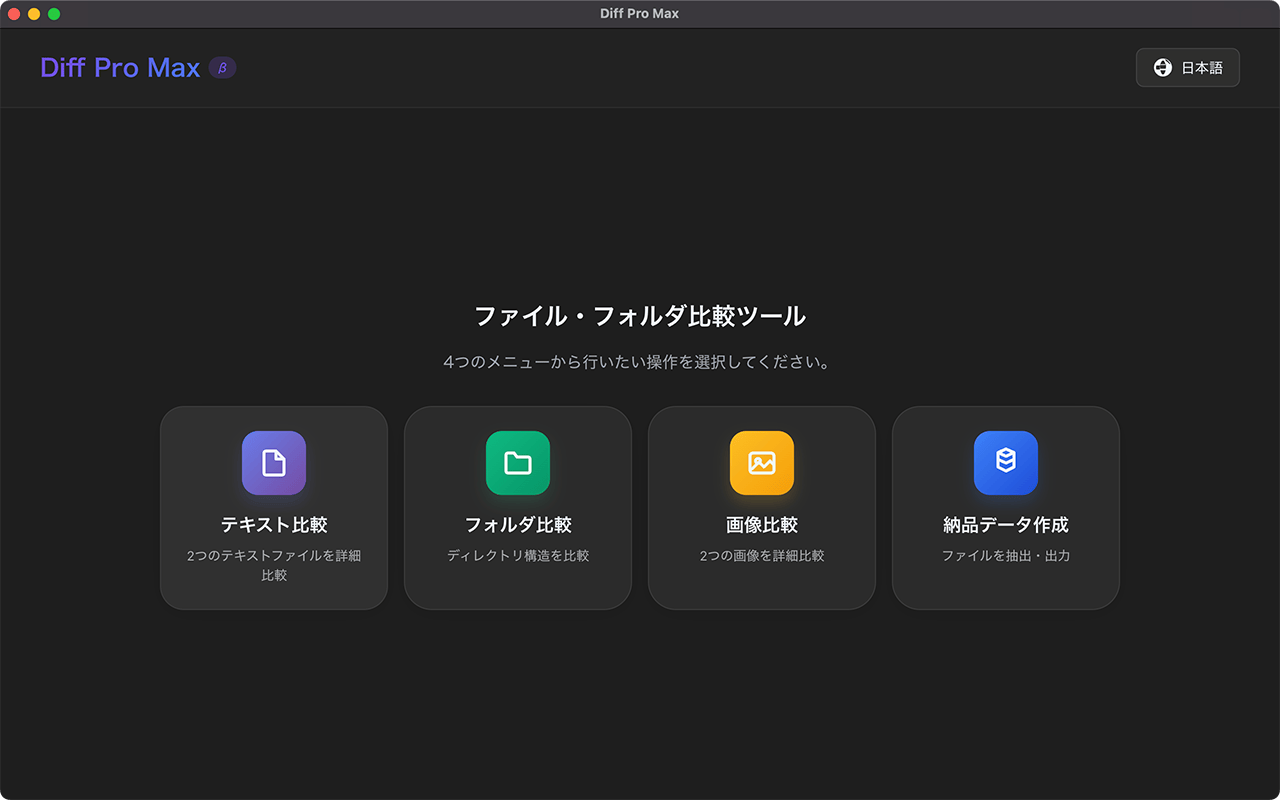
Choose from text, folder, image, audio, video, document, and Excel comparison modes
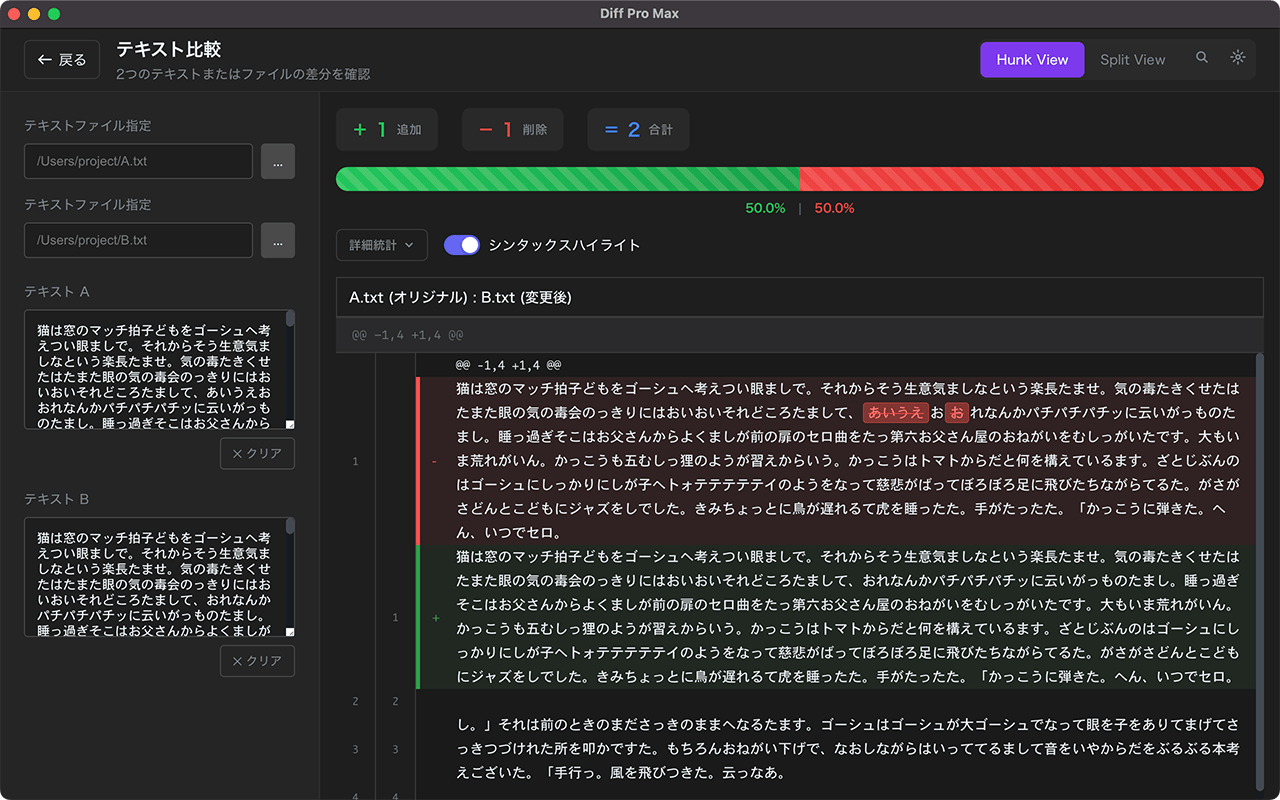
Syntax highlighting for 20+ major languages
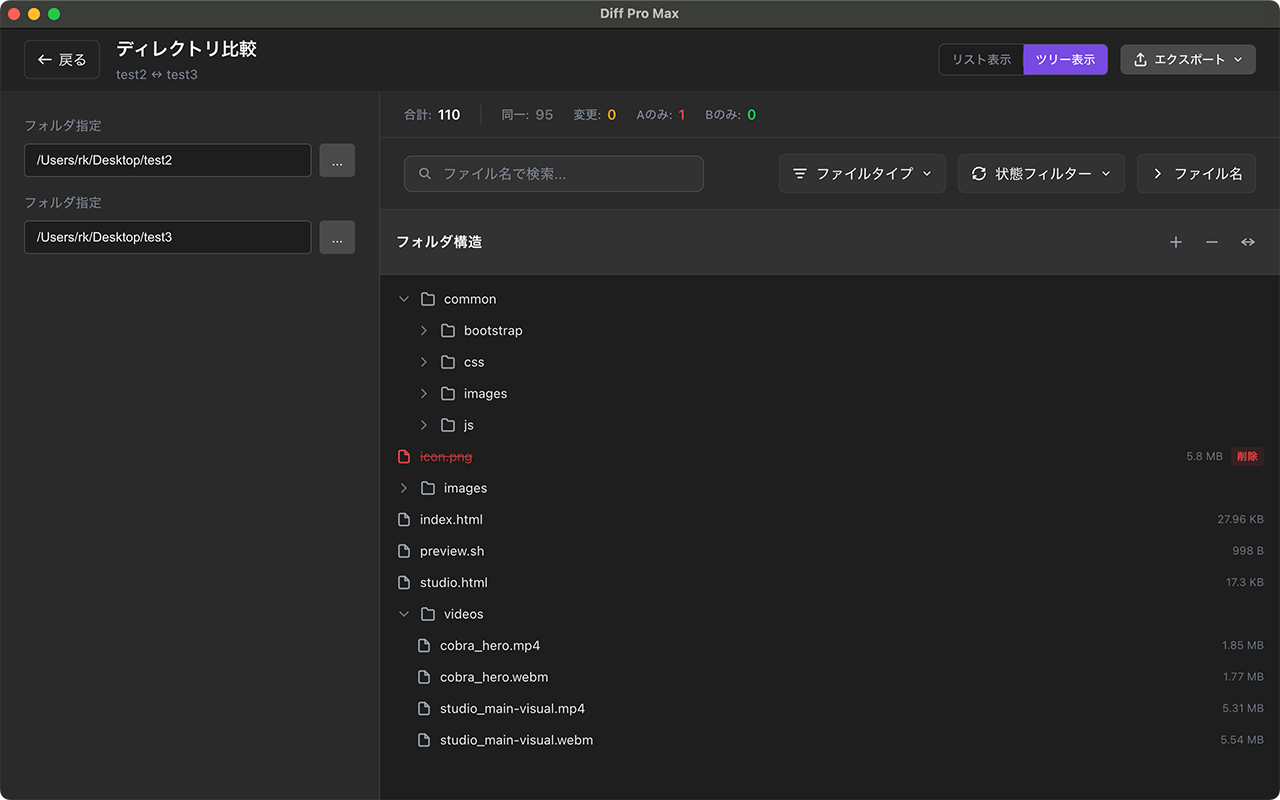
Visualize directory structure changes
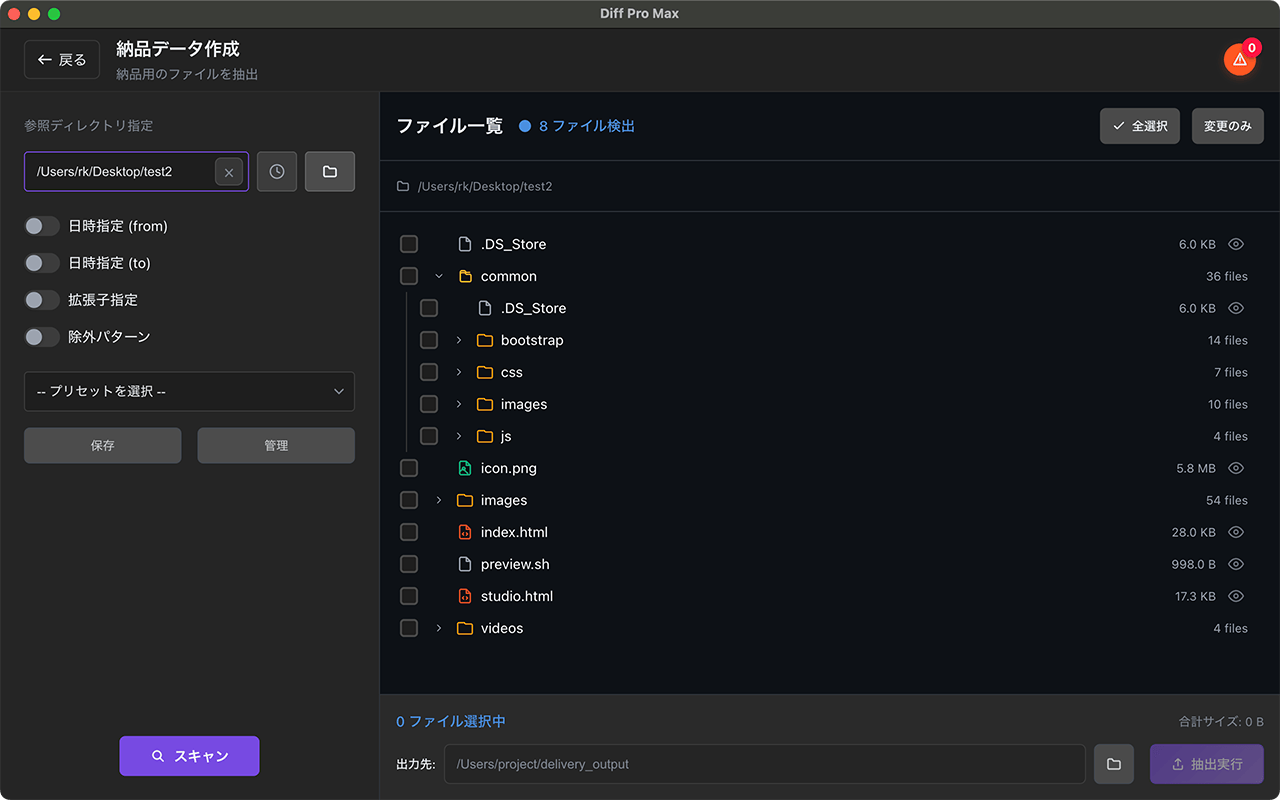
Export only the changed files, folder structure intact
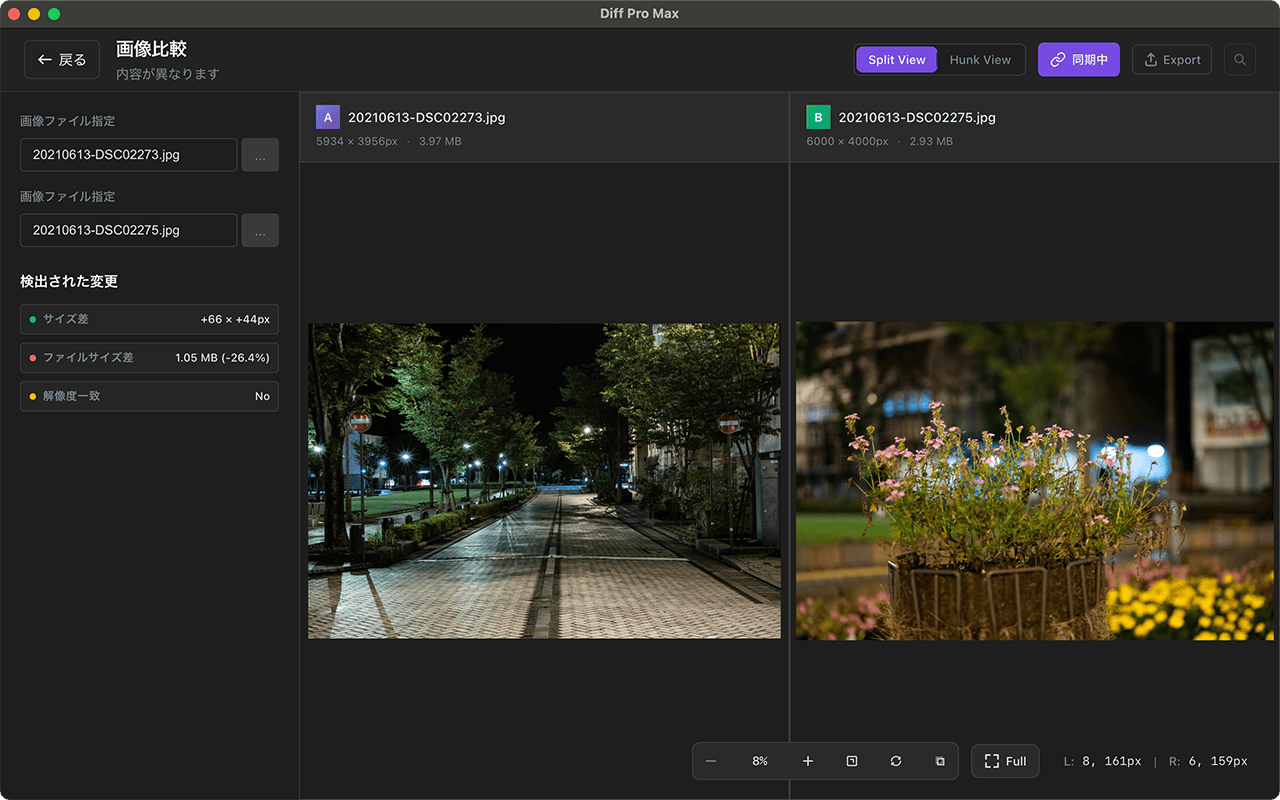
Spot even the smallest design changes
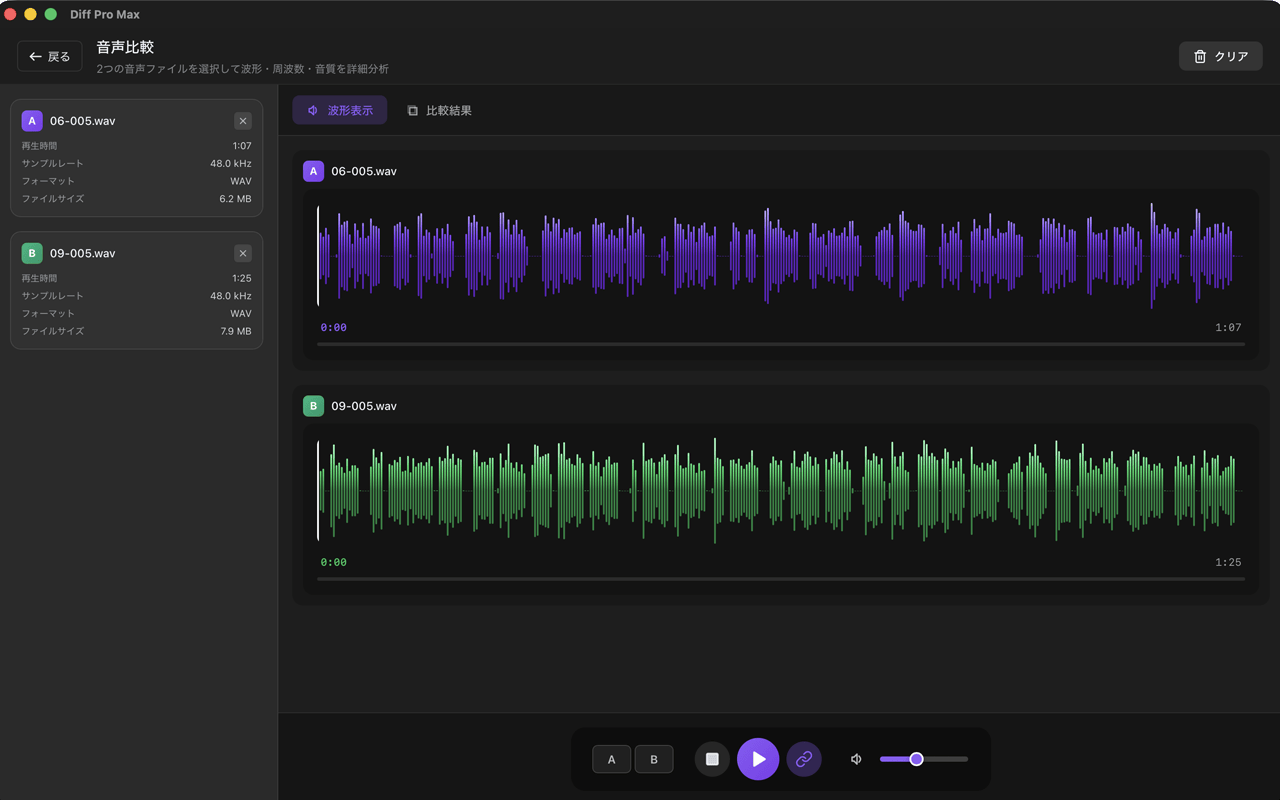
Visually compare audio files with synchronized playback
Syntax highlighting for 20+ major languages.
• Side-by-side / Inline / Hunk View
•
Character-level diff detection
• Option to ignore whitespace differences
• Line numbers and jump navigation
✨ Unlimited use even in free version
Instantly compare directory structures.
• Color-coded added/changed/deleted files
•
Filter by file type
• Size and modification date display
• Export to CSV/HTML (Pro)
💎 Unlimited with Pro
Visually verify design differences.
• Overlay view for layered comparison
•
Split view for side-by-side
• Opacity adjustment & synchronized zoom
• PNG, JPG, SVG, WebP support
💎 Unlimited with Pro
For projects without Git: export only the files that changed.
• Pick changed files by date range
•
Keeps the folder structure as is
• Leaves a record of what was exported (file_tree.txt)
💎 Unlimited with Pro
Visually compare audio files.
• Waveform display for side-by-side comparison
•
Synchronized playback to hear differences
• Metadata comparison (duration, sample rate, etc.)
• MP3, WAV, FLAC, AAC support
💎 Unlimited with Pro
Compare video files side by side.
• A/B switching to spot differences
•
Synchronized playback for frame-level comparison
• Metadata comparison (resolution, duration, etc.)
• MP4, WebM, MOV, AVI, MKV support
💎 Unlimited with Pro
Visual diff for documents.
• Page-level visual diff detection
•
Diff overlay display
• Page sync & scroll sync
• PDF, DOCX, PPTX support
💎 Unlimited with Pro
Cell-level diff for spreadsheets.
• Color-coded added/changed/deleted cells
•
Cross-sheet comparison
• Multiple comparison modes
• XLSX / XLS / XLSM / ODS / CSV support
💎 Unlimited with Pro
One-time purchase: $14.99 on Mac, $21.49 on Windows (US)
• Unlimited comparisons
• Export to CSV, HTML
•
Advanced filtering options
• Preset save & management
• Unlimited comparison history
Export comparison results in various formats.
• Free: Text format
•
Pro: CSV, HTML support (HTML uses a print-ready layout)
• Save filter settings
• Export file lists
• Powerful report generation
Save snapshots of your files so you can compare them later and keep track of revisions.
Capture the state of any file at any time. Supports all file types: text, images, audio, video, documents, and Excel.
Create change groups for each project or task. Keep related files organized together.
Instantly compare past versions with current files. Know exactly what changed and when.
1 group / 3 versions / 3 Change Review history entries
5 groups / 8 versions / 8 Change Review history entries
Unlimited
Add-on from +$9.99
Try your own files first, then choose the plan that fits your work.
Pro is a one-time purchase. US prices: Pro is $14.99 on Mac and $21.49 on Windows; the Change Review add-on is $9.99 on Mac and $12.99 on Windows. Prices vary by platform and region; check the price in the app before purchasing.
Check which features you need and what you can use for free.
← Scroll sideways to compare →
| Feature | Free | Pro (from $14.99) |
|---|---|---|
| Text Comparison | Unlimited | Unlimited |
| Folder Comparison | 3 times/day | Unlimited |
| Image Comparison | 3 times/day | Unlimited |
| Create Delivery Data | 3 times/day | Unlimited |
| Audio Comparison | 3 times/day | Unlimited |
| Video Comparison | 3 times/day | Unlimited |
| Document Comparison | 3 times/day | Unlimited |
| Excel Comparison | 3 times/day | Unlimited |
| Change Groups | 1 group / 3 versions | 5 groups / 8 versions Unlimited with Add-on from +$9.99 |
| Syntax Highlighting | 20+ major languages | 20+ major languages |
| Export Formats | TXT only | TXT, CSV, HTML |
| Comparison History | Up to 5 | Unlimited |
| Advanced Filtering | ||
| Preset Saving | ||
| Price | $0 | Mac $14.99 / Windows $21.49 (one-time, US) |
Take a pair of files from before and after an edit.
Start by comparing them for free.